Product Updates
Extra Content: Worksheets, Talks and Quizzes Right on the Panel
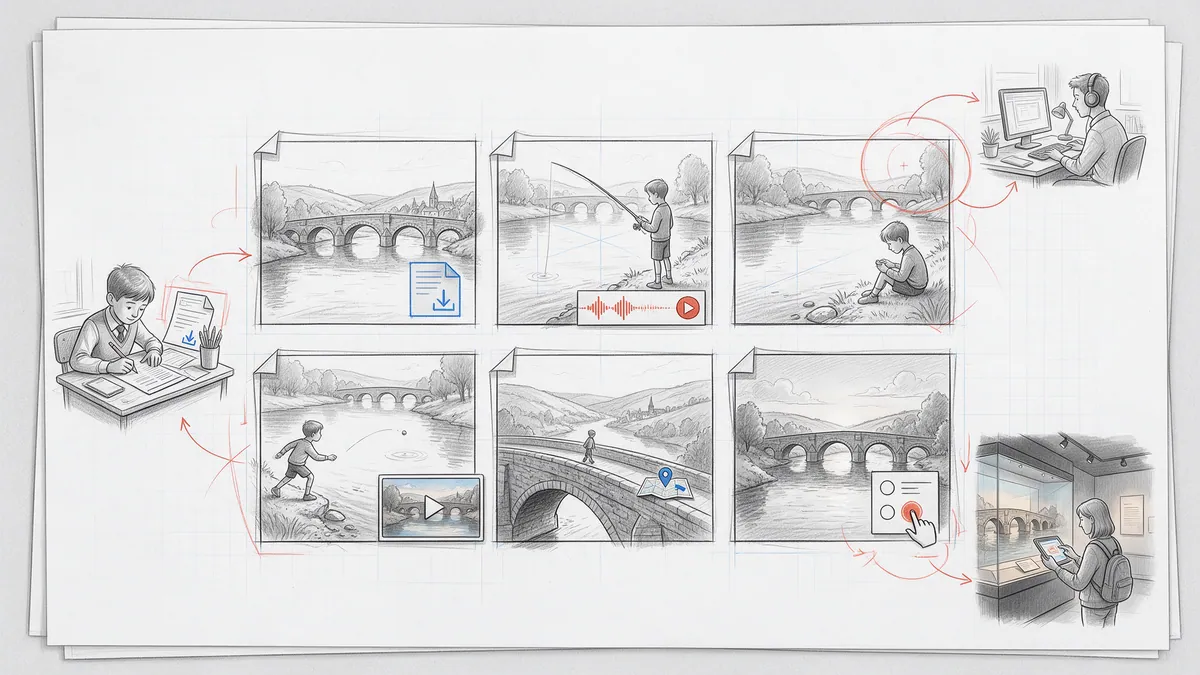
Worksheets, interviews, lecture videos, maps and quizzes no longer have to live on a separate platform. With extra content they sit on the very panel they belong to. Here is how it works, and where it makes sense: from the classroom to corporate training, museums, journalism and bonus material.
Comics are very good at explaining things. A few panels can show how a machine works, how a historic day unfolded or how to handle a difficult conversation — faster, and more memorably, than a page of text. But explaining is rarely just telling. A lesson needs a worksheet. A training needs the source video. A science story wants to point to the real data, a museum guide to the curator's commentary.
Until now that material lived somewhere else: a link in the description, a separate learning platform, a PDF sent around by email. With extra content it sits on the panel where it belongs, and readers use it without leaving the story.
What extra content is
Extra content is a set of five content widgets: interactive layers that you place on a panel, alongside the artwork and the balloons.
- Download: a card with a file-type icon, name and size. One click and the reader has the file: PDF, Office, OpenDocument, text, ZIP or EPUB.
- Scroll text: a box of longer text that scrolls inside the panel, plain or with simple formatting (headings, bold, lists and links).
- Audio player: play, pause and a waveform to click through. It never starts on its own, and it turns the work's music down while it plays.
- Video in a window: a poster or a button on the panel; the video opens in a player window with seeking, mute and fullscreen.
- Embedded web page: another website inside the panel (a map, a quiz, a form, a simulation), with an “Open in new tab” link as the fallback.
All five take their colours, fonts and corners from one widget theme per work, so they look as if they belong together, and as if they belong to your comic. Start from a dark, light, paper or high-contrast theme and adjust it.
School and e-learning
Picture a history comic about building a canal. The reader follows the workers through a summer of digging, and on the panel where the first lock opens there is a scroll text with the dates and figures, an audio clip of a historian explaining why the lock mattered, and the worksheet for the lesson. The teacher doesn't need a second platform: the comic is the lesson.
Language courses work the same way. A dialogue panel carries the line recorded by a native speaker, a vocabulary sheet to download and a short quiz embedded from the school's learning tool.
Corporate training and onboarding
Compliance and safety training is notorious for slide decks that nobody remembers. A short comic about a real situation (a phishing email, a forklift in a narrow aisle, an angry customer) is remembered. Put the policy PDF on the panel where the character makes the right call, the instruction video next to the scene it explains, and the confirmation form from your HR system as an embedded page at the end. One work replaces the deck, the attachment and the list of links.
Products and customer onboarding
A comic can show a customer setting up a device or a piece of software, step by step. Each step's panel carries the matching section of the manual as a download and a 30-second video of the real interface. In B2B sales, a story about a customer's problem can end on a panel with the product sheet and an embedded booking form.
Museums, heritage and tourism
Imagine an exhibition guide told as a graphic novel. Each panel tells part of the story, and the audio player carries the curator's commentary. Set it to keep playing, and it runs on under the next panels while the visitor looks at the display case. Add floor plans to download, an embedded map of the town's historic sites, and archive footage in a video window.
Journalism, non-fiction and science
Graphic journalism lives on its sources. Put the interview recording on the panel where it is quoted, the dataset or court document as a download, and the newsroom's interactive chart as an embedded page. Readers who want to check can check, without the story turning into footnotes.
Bonus material for any comic
None of this is only for learning. Think of a creator's commentary on the key panels, the sketchbook PDF on the last page, the soundtrack in an audio player on a chapter's title panel, or the making-of video behind the most complicated scene. The Extras shelf stays the place for covers and character sheets; extra content is for the moment in the story it belongs to.
It works on paper, too
A worksheet that can only be clicked is a problem in a classroom full of printouts. In the lettered PDF export, every widget becomes a card with a QR code that opens it in the online reader: scan to listen, scan to watch. Scroll texts are printed shrunk to fit their box, and anything that still doesn't fit continues in the digital edition. With one option, the worksheets of the download widgets are appended to the PDF, and each card says on which page its file starts.
And on your own server
Extra content is part of the open format, version 1.10. The player package you download for self-hosting includes the downloads, audio and video files; embedded pages load from their original website. The same open-source player draws the widgets in the PanelWave reader, in the studio preview and on your own website.
Good to know
- Embedded pages depend on the other website. Many sites refuse to be shown inside other pages, and such an embed stays empty. The editor tests the address for you, preflight warns you, and the “Open in new tab” link stays as the fallback.
- Readers stay in control. Audio and video never start on their own, only one plays at a time, and by default playback stops when the reader moves on, unless you let narration run under the next panels.
- Everything is translatable. Titles, file names, descriptions and scroll texts belong to the work's languages and go through the same translation workflow as your balloons.
- You see what readers use. Downloads, plays and opened videos or pages are counted per widget, whenever the work's tracking settings allow it.
Try it
The content widgets guide walks through every setting, and the extra content feature page shows how it looks to readers. If you are planning a learning, training or museum project with PanelWave, we would love to hear about it: get in touch.