
PanelWave Press Kit
Download brand assets, product screenshots, and fact sheets.
Back to PressDownload Packages
Full Press Kit
21.8 MBEverything below in one archive, plus the three press releases as plain text and a README with usage terms
Logo Pack
2.2 MBVector masters (SVG), colour, dark-background and mono variants, icon-only files, PNG and WebP renders, plus the one-page usage guideline
Screenshot Pack
7.3 MBEight real captures of the CMS (editor in page view, layers and tracks, video panels, asset library, structure tree, graph editor, characters) as lossless PNG at native 4K/2x resolution plus 1920 px JPEGs
Fact Sheet
162 KBOne-page PDF summary of PanelWave: the three layers and licences, quick facts, key dates, media contact
Founder Bio & Photo
8.4 MBShort and long biographies of founder Jens Hoppe in English and German, studio portraits in 3:4 and square crops at several sizes, alternates and print originals
Architecture Diagram
3.7 MBThe PanelWave architecture on one page: who uses it, the three layers and their licences, monetization, and the path from studio to reader
Screenshots
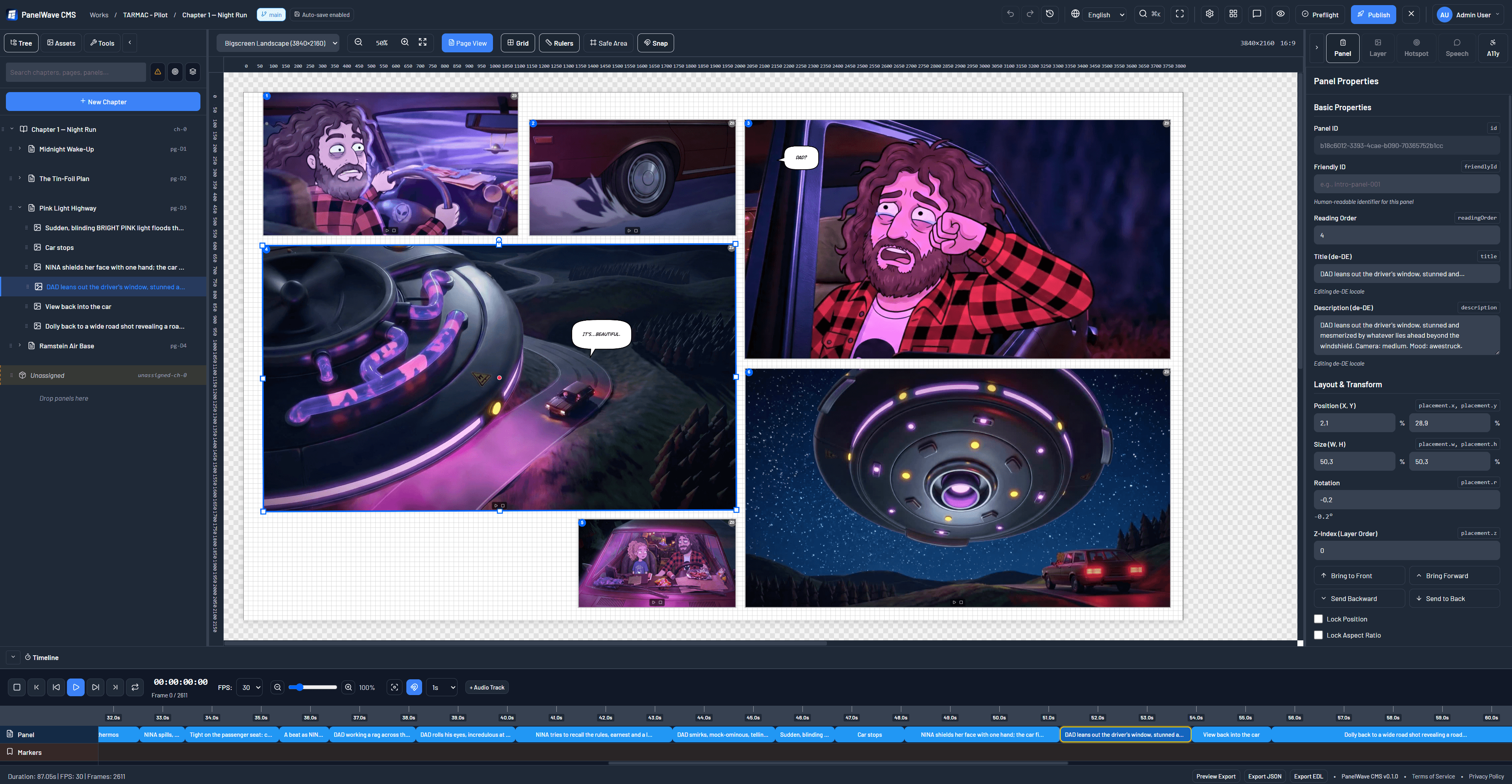
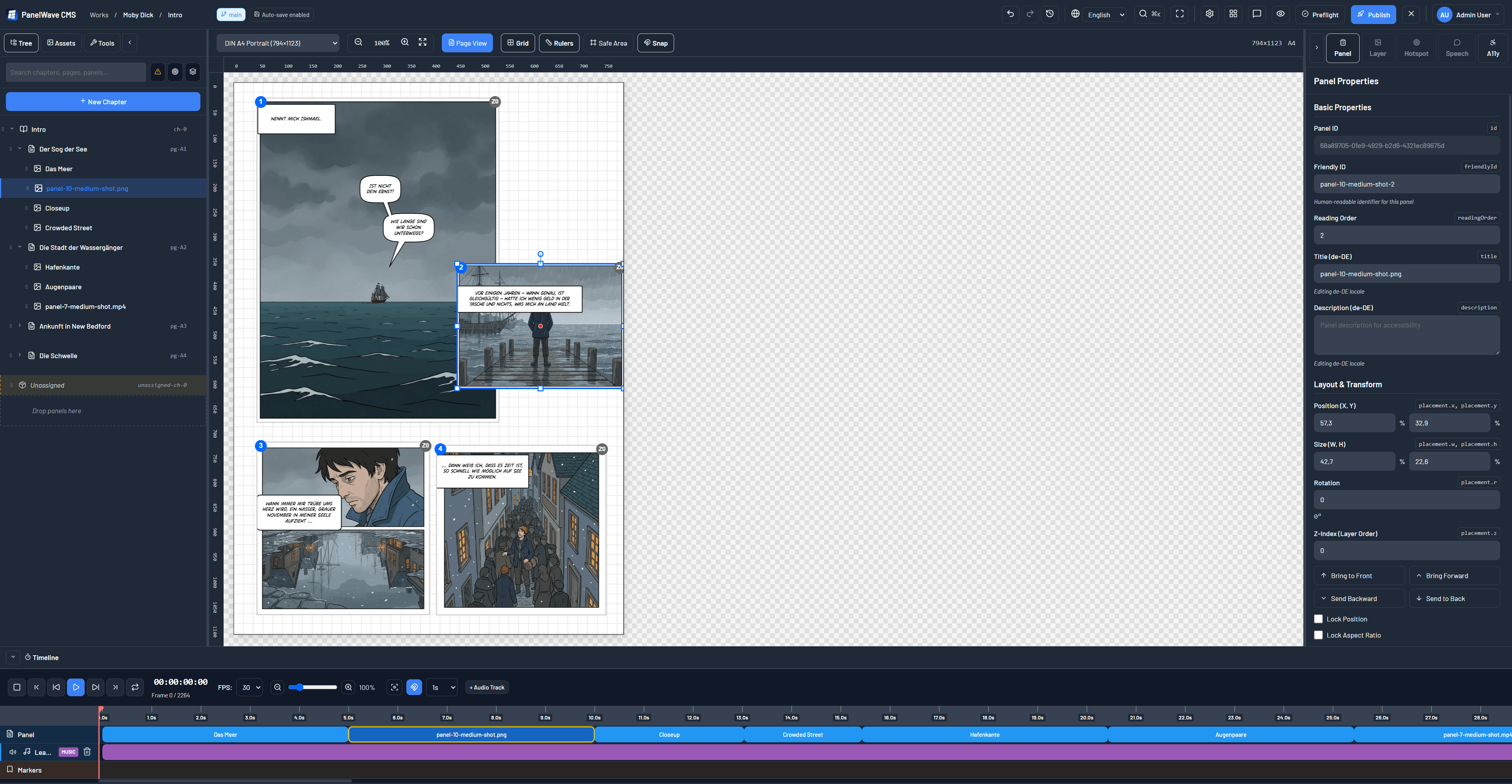
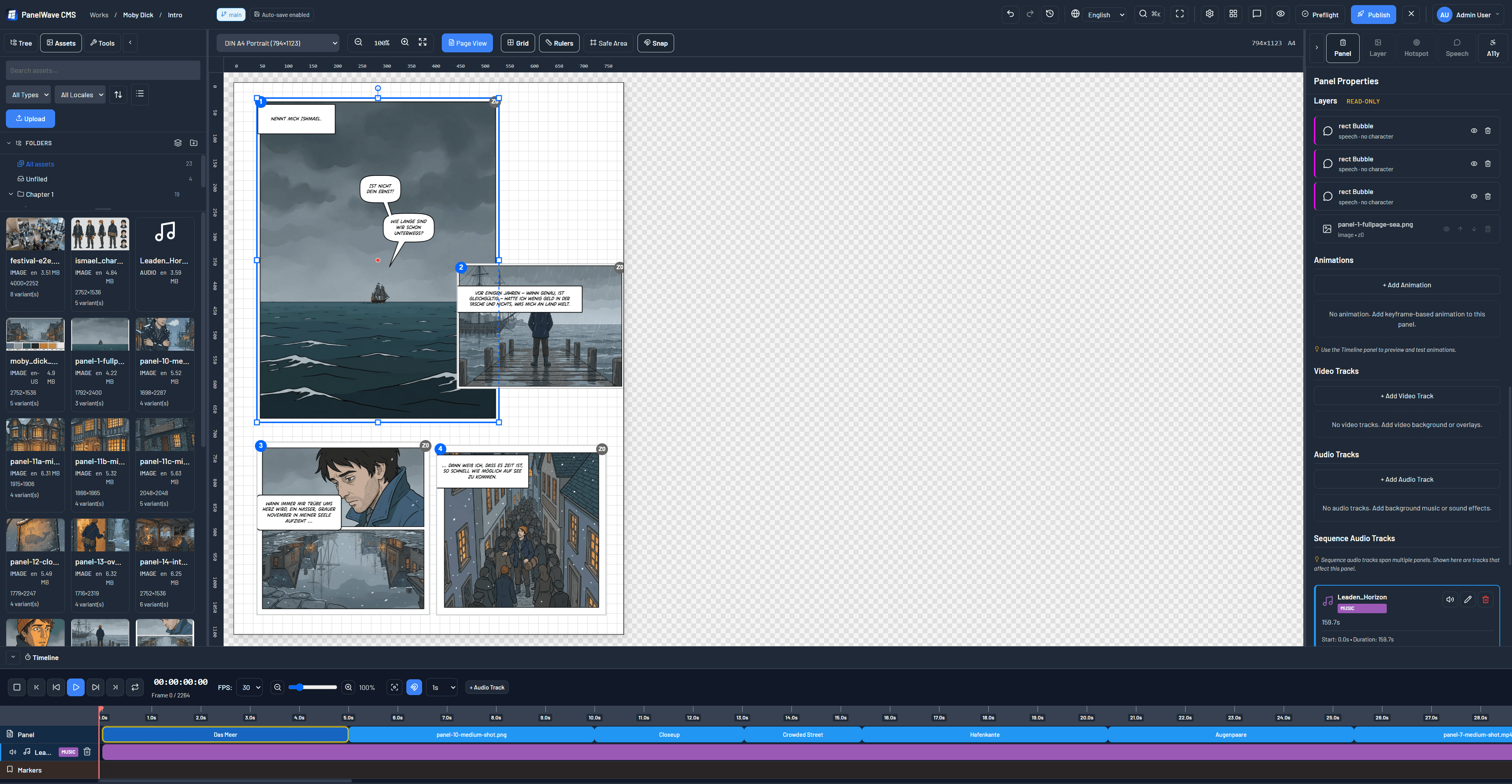
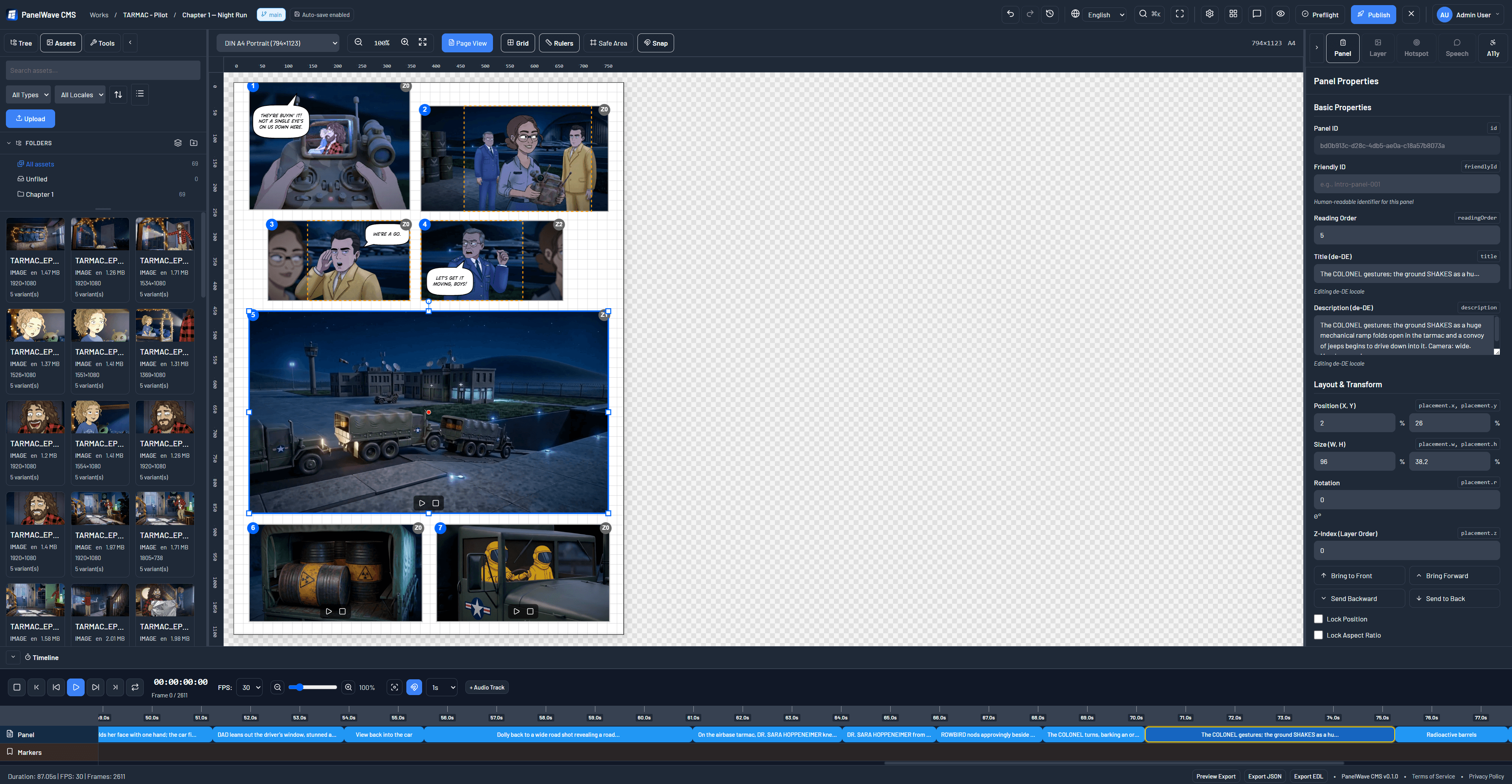
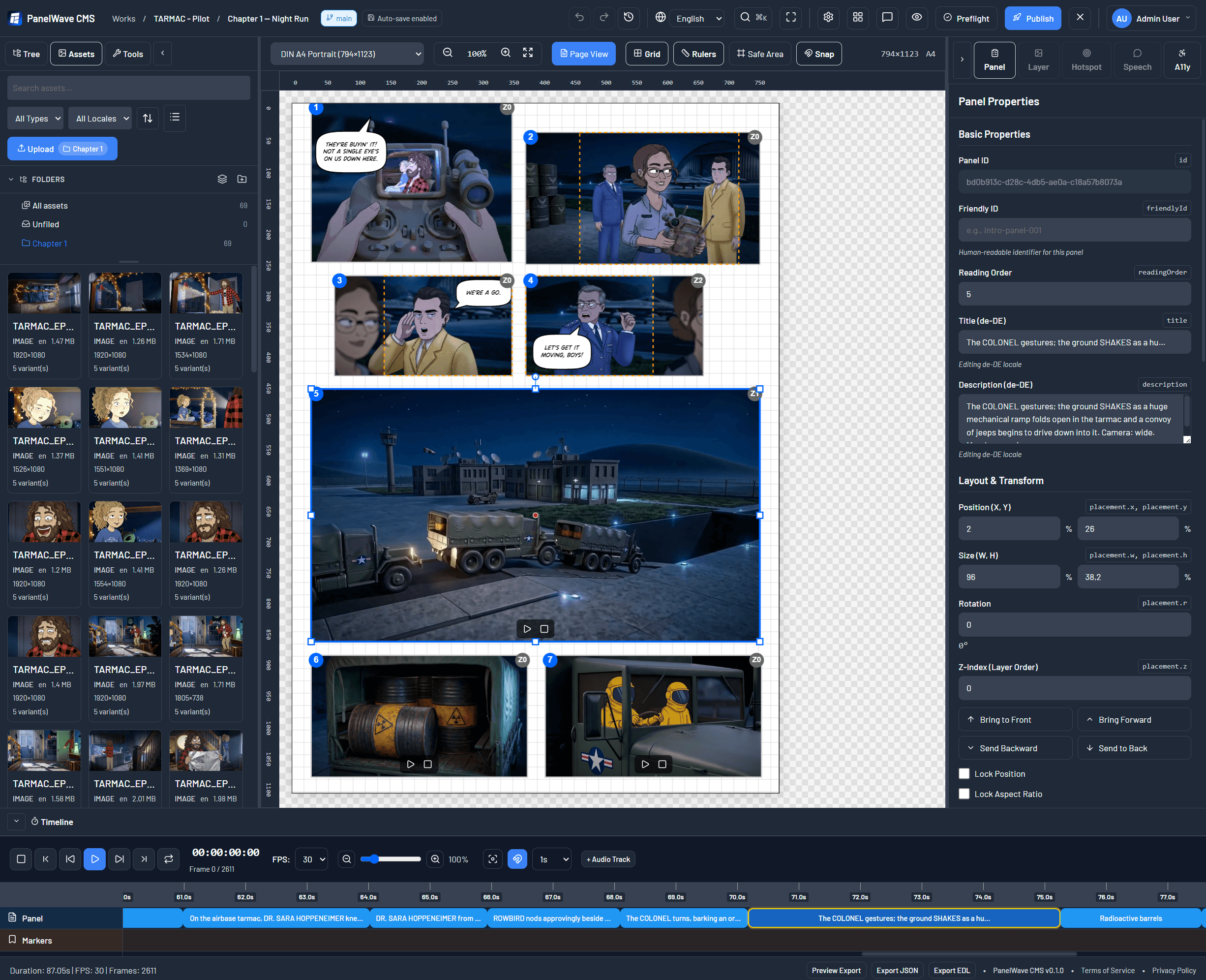
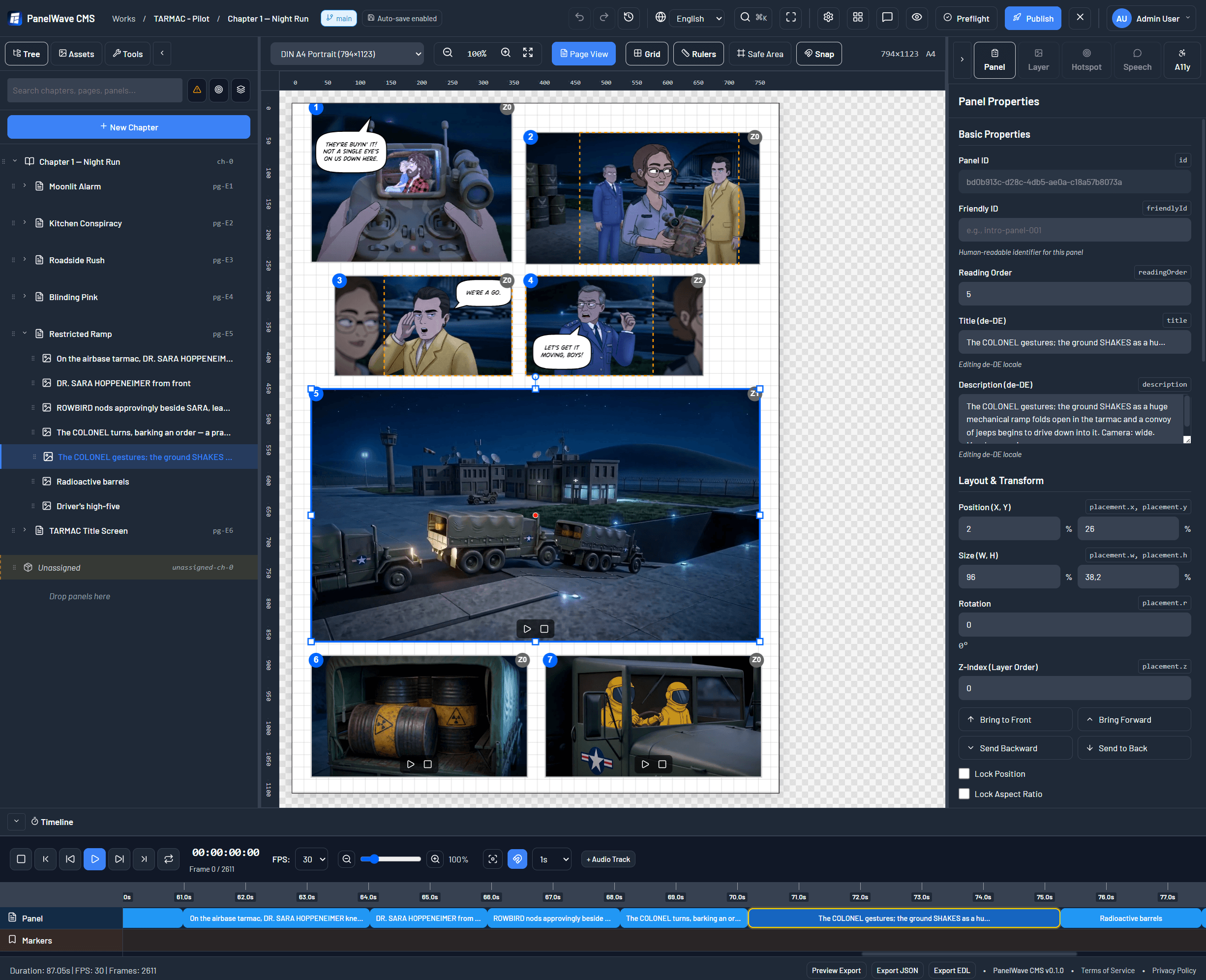
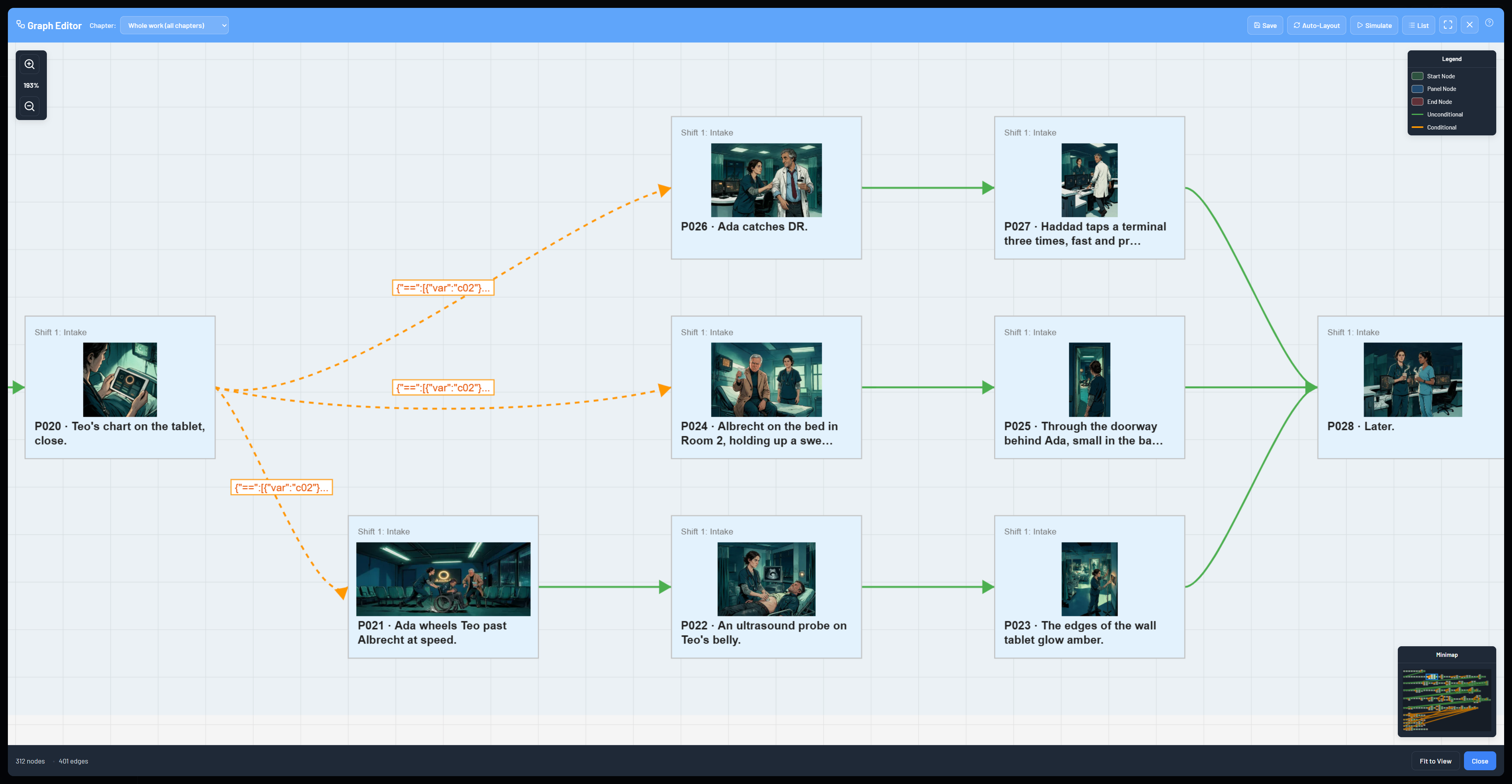
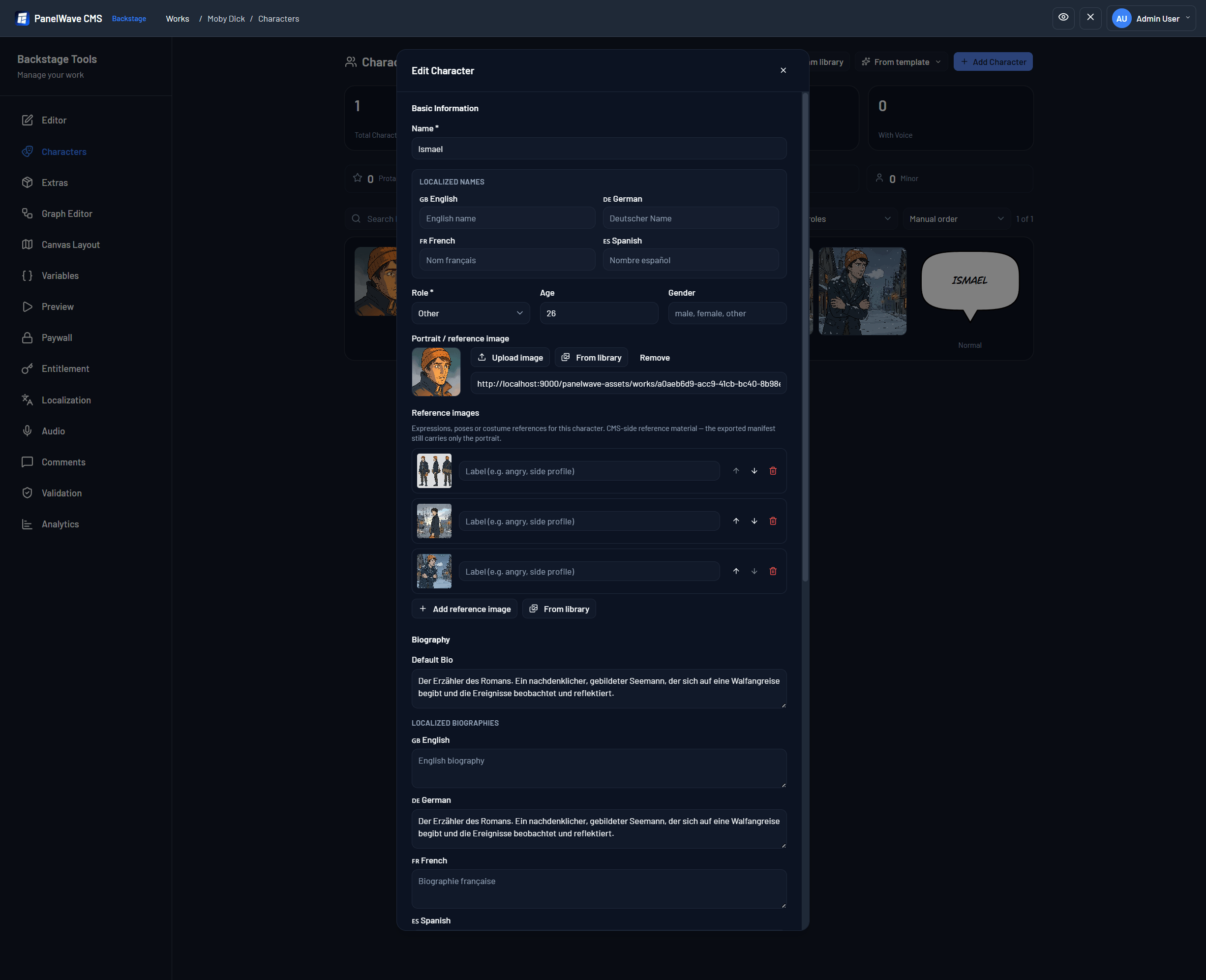
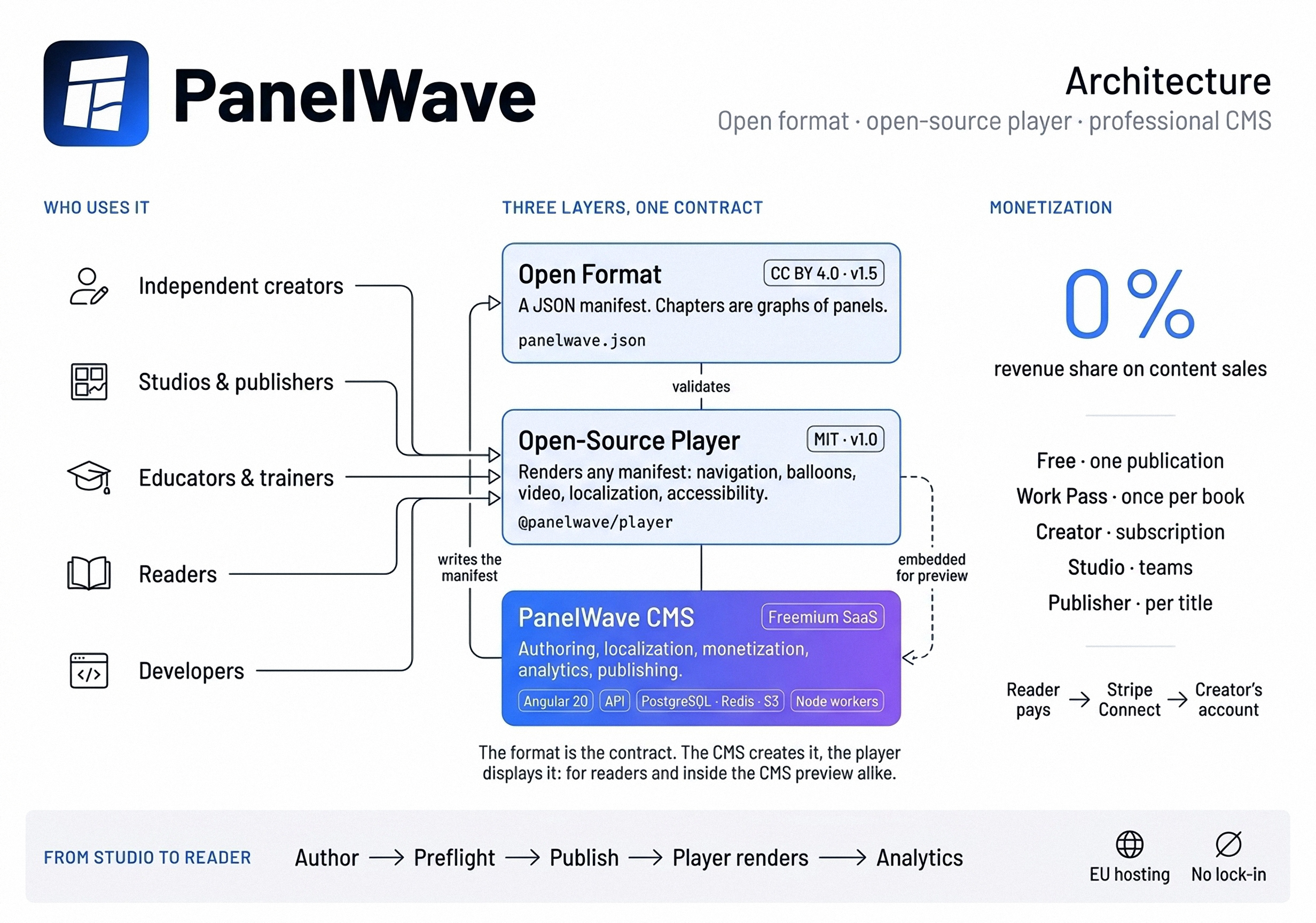
Credit line: Screenshot: PanelWave. Player screenshots and further CMS views follow in the next version of the pack.
Architecture Diagram
Founder

Jens Hoppe
Founder and technical lead, PanelWave · Munich
Jens Hoppe is the founder of PanelWave, the Munich-based open ecosystem for interactive graphic novels. A technical founder with almost thirty years in content management and social software, he co-founded the web CMS company CONTENS Software in 1999 and has built community platforms with hundreds of thousands of members. With PanelWave he is publishing an open format, an open-source player and a professional studio for the next generation of graphic novels.
Long versions in English and German, plus photos in several sizes, are in the download. Photo: picturepeople.
Fact Sheet
Logo & Brand Usage
Please respect the PanelWave brand by maintaining these guidelines:
- • Maintain minimum clear space equal to the logo icon size around the mark.
- • Do not modify, stretch, rotate, or add effects to the logo.
- • Do not place the logo on busy backgrounds that reduce contrast.
- • Use the white/dark variants on colored backgrounds for contrast.
- • Minimum logo width: 80px digital, 20mm print.
Full guidelines are included in the downloadable Logo Pack.