Technical
Designing the Graph Navigation Engine
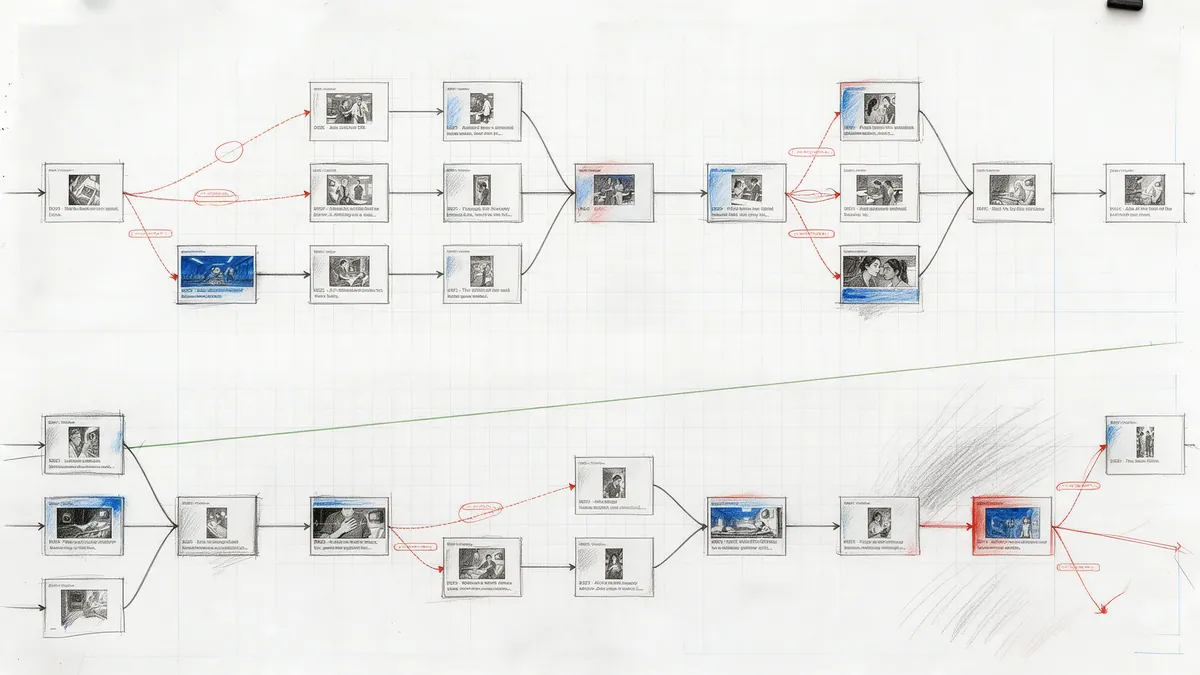
A look under the hood at how panels-as-nodes and edges-with-conditions work in the player's navigation layer: the flow engine, the flattened variable context, fail-closed JSON Logic, priorities, inherited transitions and camera moves, back-navigation, and the graph analysis the CMS reuses.
Every PanelWave chapter is a directed graph: panels are nodes, edges say which panel may follow which, under what condition, and with what visual transition. The format defines that structure; the player has to walk it, thousands of times per reading session, without ever leaving a reader stranded. This post is about the piece of the player that does the walking: the flow engine, the variable store it consults, and the design decisions behind both. If you want the conceptual introduction first, read Graph Navigation; this article assumes it.
Why a graph, and why the engine is tiny
The alternative to a graph is a page order plus special cases: a decision page here, a jump table there. We wanted the opposite: one primitive that makes linear stories free and branching cheap. A conventional comic is a chain of unconditional edges. A choice is two edges with different conditions. A loop, a detour, an optional scene, a re-converging path: all ordinary graph shapes, and back-navigation works the same way for all of them.
That decision let the engine stay small. The flow engine is a pure service with no state of its own: give it a graph, the current panel id, and a context object, and it returns where to go next. Everything else, from where the reader is to what variables hold, lives in other services. It was written with 43 unit tests before any rendering existed, and it is still the part of the player that changes least. The service's API is listed under Core Services.
The four steps of a navigation
When the reader advances, whether by key, swipe, autoplay or a hotspot, the shell asks the engine for the next panel. The engine does exactly four things, and the order matters:
The sequence diagram and the exact rules are on State, Conditions and Navigation. Two consequences fall out of this design. Authors get a fallback for free: put one unconditional edge at priority zero next to the conditional ones and a reader who advanced without choosing still moves on. And the engine never has to know what a condition means; it only has to know whether it passed.
- Collect every edge whose from is the current panel. No edges means the panel is an endpoint, and the engine says so rather than guessing.
- Filter the candidates by evaluating each edge's JSON Logic condition against the context. An edge with no condition always passes.
- Sort the survivors by priority, highest number first, with a missing priority counting as zero. The order among equal priorities is the manifest order.
- Return the first survivor's target together with its transition and its edge actions. If nothing survived, the result is again a null target.
const candidates = graph.edges.filter((e) => e.from === currentPanelId);
const passing = candidates.filter((e) => evaluateJsonLogic(e.condition, context));
const winner = [...passing].sort((a, b) => (b.priority ?? 0) - (a.priority ?? 0))[0];
return winner
  ? { nextPanelId: winner.to, transition: winner.transition ?? defaultTransition, action: winner.action }
  : { nextPanelId: null };
Conditions that fail closed
Conditions are JSON Logic, evaluated through a thin wrapper around json-logic-js. The wrapper has three rules that took longer to settle than the code suggests. A missing condition is true, because an unconditioned edge must always be traversable. A literal boolean is returned as is, so a manifest can hard-wire an edge on or off during authoring. And any evaluation error, whether an unknown operator, malformed logic or a thrown exception, is caught, logged and returned as false.
Failing closed was the contentious choice. Failing open would make a broken condition behave like a fallback edge, which hides authoring mistakes until a reader takes an unintended path. Failing closed makes the broken edge disappear, which the CMS validation and the graph editor's Simulate mode surface immediately. We chose the version that is loud in the editor over the one that is quiet in production. The same evaluator is used for every condition in the format: edges, visibility conditions on layers, bubbles and hotspots, and panel variants, so a rule learned once transfers everywhere. The wrapper also ships convenience operators such as in, contains, matches, between and isEmpty, and a helper that extracts every variable reference from a rule, which is how tooling can list what a chapter depends on.
One flat context from five scopes
Conditions never see the variable store directly. The store keeps values in five scopes matching the schema (global, chapter, page, session and persistent), and just before a navigation the shell asks it to flatten them into one object. The merge order is deliberate: global first, then session, persistent, the current chapter's scope, and finally the current page's scope, with later entries winning on key collisions. A chapter-scoped variable therefore shadows a global of the same name while the reader is inside that chapter, which is exactly what a per-chapter puzzle state needs. Dot-namespaced ids such as story.choice become nested paths in the context, so JSON Logic's var operator resolves them without any special handling.
The store validates every write against the manifest's definitions: type, range, enum membership, and the read-only flag. Writes that fail are dropped with a warning rather than corrupting state. Only the persistent scope touches localStorage, and it degrades to memory when storage is unavailable. The scope table and the write rules are on State, Conditions and Navigation; the persistence details are in Saving Progress.
What travels with the edge: transitions and camera moves
An edge does not only say where to go; it says how the change should look. Schema 1.2 let edges inherit a default transition from the active output preset, so authors set fade-300ms once per format instead of on every edge. The engine resolves that inheritance itself: the edge's own transition wins, otherwise the preset default. When no format is active, the default is only used if every defined preset agrees on it, and a plain cut is the last resort. The rule is deliberately conservative: guessing a format and animating wrongly is worse than not animating.
Schema 1.4 added the infinite canvas, and with it a second thing that travels on an edge: the camera move. The engine treats it exactly like a transition, edge value first, preset default second, and returns it alongside the target so the canvas view can glide. A direct, arc or waypoint path with a hold, pull-back or dive zoom profile; the flow engine does not interpret any of that, it only hands it on. Navigation semantics are identical in every view mode, which is the property that let canvas view be added without touching the selection rule. See Canvas View and the canvas format reference.
Going back is the same edge, reversed
Previous is not a history pop. The engine looks up the edges pointing at the current panel and returns their sources; the shell takes the first. For the animation it finds the edge originally traversed from the previous panel to the current one and reverses it: slide-left becomes slide-right, up becomes down, and direction-less transitions such as fade or zoom come back unchanged. Canvas camera moves are reversed the same way, waypoints in reverse order, so the camera retraces the authored path rather than teleporting. This keeps back-navigation consistent with what the author designed without storing a per-session animation log.
The analysis toolkit, and who uses it
Stepping is one method; most of the engine is graph analysis that ignores conditions on purpose. There are helpers to check whether a panel is an entry or an endpoint, to find all endpoints, to test reachability with a depth-bounded breadth-first search, to find the shortest path between two panels, to detect cycles with a depth-first search and recursion stack, and to list every panel reachable from a start node. Ignoring conditions is the right default for structural questions: an author asking whether a panel can be reached wants to know about the graph, not about the current value of a variable.
This is the same vocabulary the CMS speaks. The Graph Editor flags unreachable nodes, cycles, isolated nodes and dead ends with its own breadth-first and depth-first passes, lays the map out with dagre, highlights issues on the canvas, and offers quick fixes such as connecting an orphan to the entry. Its Simulate mode walks the structure the way the engine's analysis helpers do, listing every outgoing edge with its condition inline. Work-wide preflight validation repeats the reachability check before anything is published. Conditions with real values are tested in Preview, where variable overrides feed the same flattened context the engine sees.
Entitlements sit outside the graph
Monetization could have been modelled as conditions on edges. We kept it out of the graph on purpose. Whether a reader may enter a panel is answered by an entitlement adapter the host implements, awaited before every navigation, with a short-lived cache in the entitlement service. The engine exposes bridges to check a panel, chapter or work, but the graph itself stays a description of the story, not of who paid for it. Verified facts the host knows, such as an entitlement flag or a user's age, can still be seeded into read-only variables at startup so conditions can reference them without in-story content being able to change them. See Paywall and Entitlement.
Trade-offs we would make again, and one we are revisiting
- Pure engine, stateful shell. Every navigation is a function of graph, position and context. That makes the engine trivially testable and means the CMS can run the same logic in its simulator.
- Conditions in the data, not in code. JSON Logic is small enough to author by hand and safe enough to evaluate from untrusted manifests. Custom operators exist, but nothing in the core format needs them.
- Structure and state are separate questions. Analysis helpers ignore conditions; the stepping function honours them. Mixing the two would make both answers wrong some of the time.
- Edge actions are returned, not applied. The engine hands an edge's variable mutations back in the navigation result and leaves applying them to the host. That keeps the engine side-effect free, but it also means the shell does not apply them automatically yet, which is the one item on this list we are revisiting. The current behaviour is documented under Mutations.
Further reading
- Graph: every property of a graph, an edge and a mutation, with validation notes.
- Player Architecture: where the engine sits in the manifest-to-render data flow.
- Variables: the state model the context is flattened from.
- Branching Narratives Without the Spaghetti: the authoring patterns that make good use of all of the above.